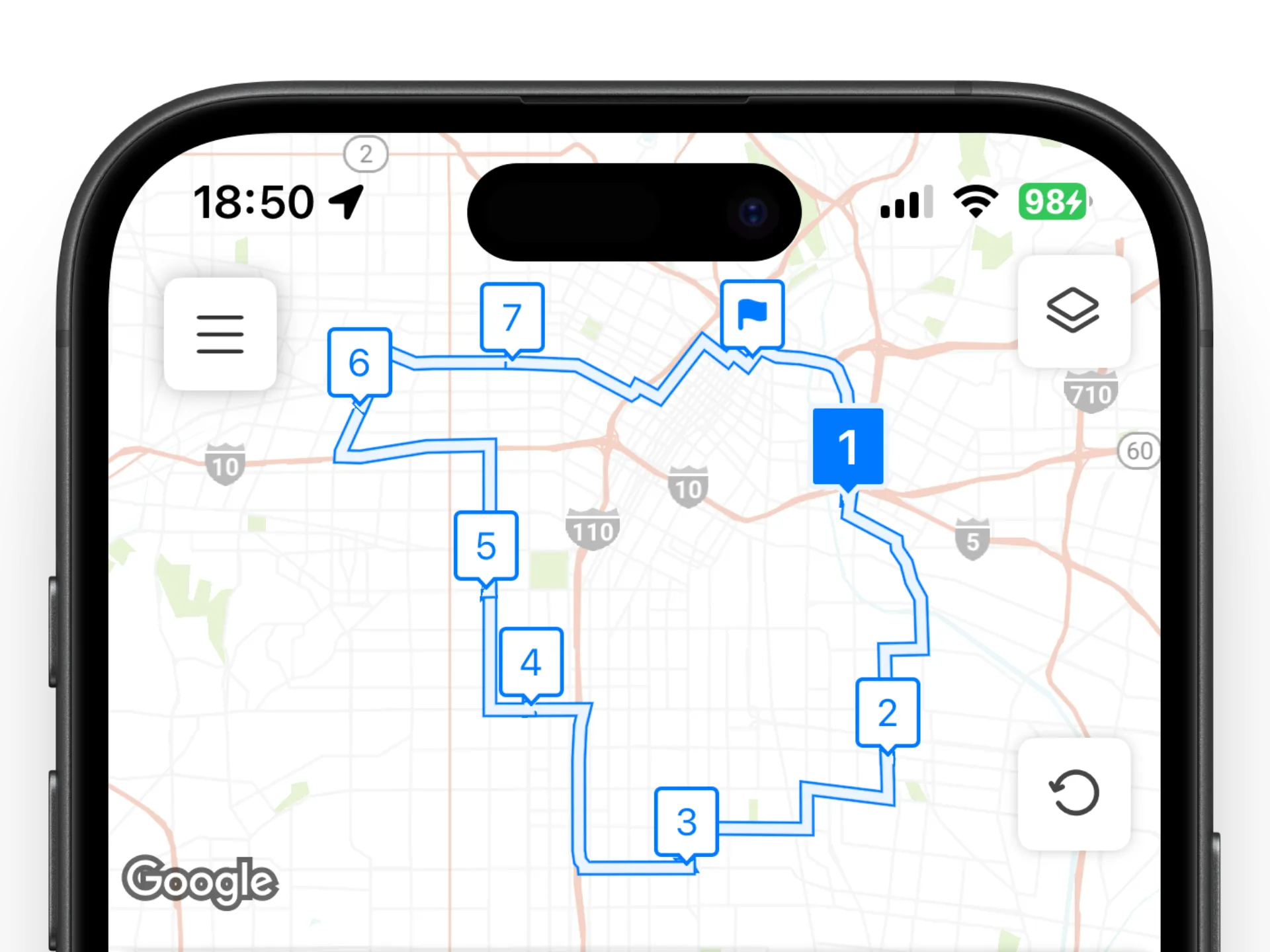
Optimized route, ready to drive
Loop orders every stop to cut backtracking. Drag to adjust anytime.
Up to 200 stopsDrag to reorder
Four tools drivers use every shift — fast to learn, built for the road.
Loop orders every stop to cut backtracking. Drag to adjust anytime.
Add stops hands-free while you load the van.
Point your camera at a package or printout — Loop pulls out the address.
Keep depots and repeat customers one tap away.
Three steps from address list to doorstep.
Paste a list, import a file, scan, or speak.
One tap puts every stop in the best order.
Open each stop in Google Maps or Waze, then mark it done.
Loop works well when your day includes many stops, route changes, or repeat runs.

Import delivery addresses, scan package labels, and put every drop-off in an efficient order.

Plan meal, grocery, and catering deliveries before departure, then adjust stops when orders change.

Group the day’s bouquets and gifts into practical delivery runs with less backtracking.

Save regular customers, reuse replenishment routes, and assign deliveries to your drivers.

Plan visits for repairs, cleaning, and inspections with less driving between jobs.
Loop is route planning software built for delivery drivers and small teams managing multiple stops. Import multiple addresses, optimize stop order, update routes when plans change, and complete deliveries with less unnecessary driving.
Whether you need delivery routing software for one driver or a route planning app for a team, Loop supports multi-stop route optimization, saved locations, route history, bulk address imports, and navigation through Google Maps or Waze. Drivers can plan routes with up to 200 stops, while teams can assign routes and monitor delivery progress from one workspace.
Planning routes for multiple drivers? Explore Loop Teams to assign routes and monitor delivery progress.
Need a mobile route planning app? Download Loop for iOS or Android.
$0 /mo
$9.99 /mo
$29 / driver / month
Assign routes to drivers and see every stop completed, live.
Explore Loop Teams →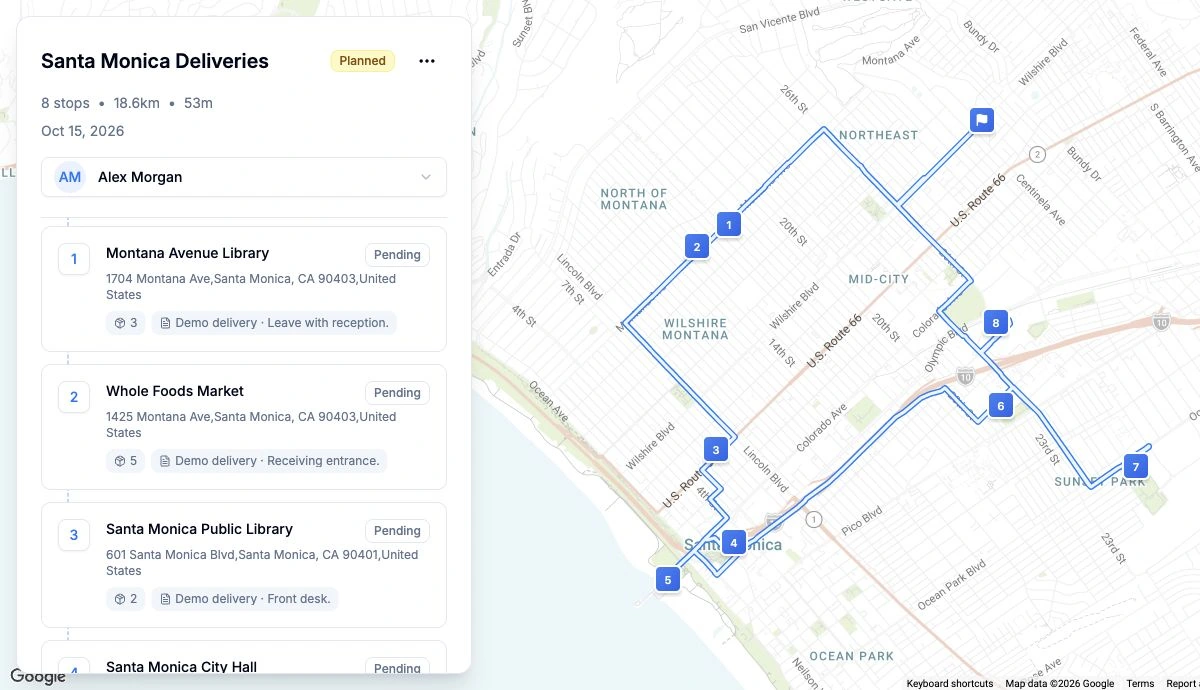
Hear from those who have partnered with us.
Still stuck? Email support
Loop automatically arranges your stops in the best delivery order to reduce driving time and avoid backtracking. You’ll finish your routes faster and get more done in less time.
You can bulk import without a template, paste multiple lines, pin stops on the map, use OCR, or add addresses by voice. Loop automatically detects each stop and builds your route.
No. The free plan includes up to 10 stops per route and bulk address import. You can upgrade to Pro for more stops and advanced features.
Yes. Your data is securely stored using modern encryption methods. We never share or sell your information.
Yes. Just tap the navigate button in Loop to open directions in your preferred map app, including Google Maps, Apple Maps, or Waze.